




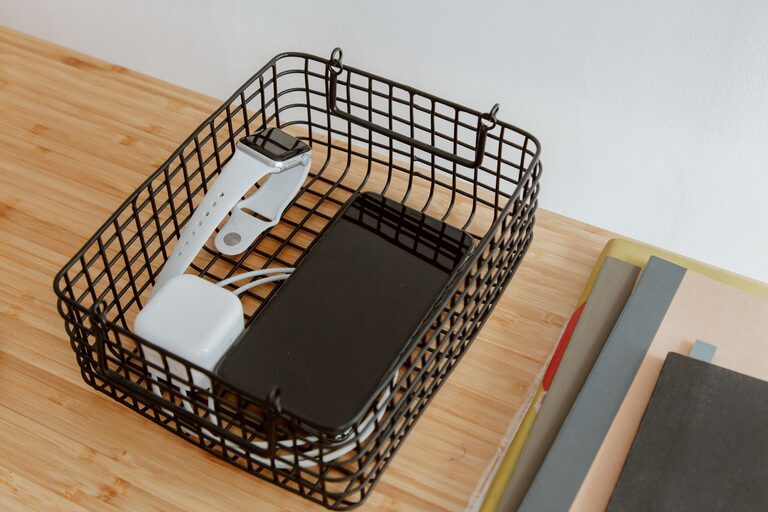
A dedicated charging station can make everyday life easier. Instead of searching for cables or finding devices scattered across tables and countertops, you can keep everything in one convenient place. A well-designed station also helps reduce cable clutter, protect devices, and make charging part of your daily routine.
Whether you are setting up a station for a family, home office, classroom, or workplace, the basic process is similar. Choose a suitable location, gather the right equipment, organize the cables, and add a few safety features.
Choose the Right Location
The best charging station location is easy to reach but does not get in the way. Consider how often you charge your devices and where you usually use them.
Good locations may include:
– A desk or office shelf
– An entryway table
– A kitchen counter
– A bedside table
– A living room cabinet
– A shared workspace shelf
Choose a dry, stable surface away from sinks, heaters, stoves, direct sunlight, and areas where liquids may spill. Avoid placing the station on a soft surface, such as a bed, sofa, or pile of clothing. Soft materials can block airflow and cause chargers to become warmer than intended.
If children or pets are present, use a location that is out of reach or add cable management that prevents loose cords from being pulled down.
Decide What the Station Needs to Charge
Before buying accessories, make a list of the devices you want to charge. This prevents you from purchasing too many cables or choosing equipment that does not meet your needs.
Common devices include:
– Smartphones
– Tablets
– Wireless earbuds
– Smartwatches
– E-readers
– Cameras
– Handheld game systems
– Portable speakers
– Laptops
Check which connectors your devices use. Some may use USB-C, while others may use a different connector or a dedicated charging cable. If your devices support wireless charging, you may be able to reduce the number of loose cables.
Also consider how many devices might be connected at the same time. A station for one or two phones will have different power and space requirements than a shared station for an entire family.
Select a Suitable Power Source
A charging station usually needs a nearby wall outlet or a power strip. Use quality equipment from a reliable manufacturer and make sure it is rated for the devices you plan to connect.
A multi-port USB charging hub can reduce clutter by allowing several devices to connect to one unit. Look for features such as:
– Enough ports for your devices
– USB-C ports when needed
– Adequate power output
– Built-in protection features
– A compact design
– Clear product specifications
Do not overload a power strip or connect multiple power strips together. If you are unsure whether your setup can handle the number of connected devices, review the product instructions or ask a qualified professional.
Keep the power adapter and charging hub where air can circulate around them. Avoid covering them with papers, fabric, or other objects.
Organize the Cables
Cable organization is one of the most important parts of a charging station. Even a simple setup can look messy if every cable is loose.
Start by labeling cables or assigning each one to a specific device. Small cable labels, colored clips, or reusable ties can make this easier. Leave enough length for comfortable use, but avoid storing long loops where they can catch on objects.
Helpful cable management tools include:
– Reusable hook and loop ties
– Adhesive cable clips
– Cable sleeves
– Cable boxes
– Small baskets
– Cord labels
– Desk grommets
Run cables along the back or side of the station rather than across the front. Use clips to keep connectors in place when they are not being used. This prevents cables from sliding behind furniture or onto the floor.
Avoid sharply bending cables, especially near the connector. Repeated bending can damage the cable over time. Replace cables that have exposed wires, cracked insulation, loose connectors, or visible damage.
Add a Tray, Dock, or Shelf
A charging station does not need to be complicated. A simple tray can keep devices together, while a small shelf or organizer can create separate spaces for phones, tablets, and accessories.
Choose a design that matches your available space. A few useful options include:
Charging Tray
A tray works well for a small number of devices. It keeps phones and accessories in one place and can be moved when needed.
Vertical Dock
A vertical dock saves desk space and makes it easy to see which devices are charging. It is especially useful for phones and tablets.
Drawer Organizer
A drawer can hide cables and adapters when they are not in use. Add dividers to prevent devices from touching or cables from becoming tangled.
Wall-Mounted Shelf
A wall-mounted shelf can free up desk or counter space. Make sure it is securely installed and that cables can reach the power source without hanging loosely.
Keep the Station Safe
A charging station should be convenient, but safety comes first. Follow the instructions provided with each charger, cable, and power accessory.
Keep these guidelines in mind:
– Use chargers and cables that are compatible with your devices.
– Do not use equipment with damaged plugs, cords, or housings.
– Keep the station away from water and excessive heat.
– Do not cover charging hubs or power adapters.
– Unplug equipment that becomes unusually hot, smells unusual, or shows signs of damage.
– Keep loose cables away from walkways.
– Avoid placing heavy objects on cables.
– Use surge protection when appropriate for your location and equipment.
Modern devices often manage charging automatically, but it is still helpful to keep chargers in good condition and follow the manufacturer’s guidance.
Make the Station Easy to Use
The best charging station is one that people will actually use. Place it where devices are naturally set down, such as near an entrance or on a desk. Make room for devices of different sizes and leave space for someone to connect a cable without moving everything else.
For a shared station, assign a space to each person or device. Small labels can reduce confusion. You might also keep extra cables in a labeled container, but avoid storing more accessories than you need.
If the station is in a home office, consider adding a small stand so a phone can remain visible while charging. For a bedroom station, use a low-brightness indicator or place bright lights away from the bed.
Maintain the Charging Station
A few minutes of maintenance can keep the station working well. Once a month, check the cables, adapters, and power strip for wear. Remove cables that are no longer used and wipe dust from the surface.
Review the setup when you buy a new device. You may need a different cable, an additional port, or a larger tray. If the station becomes crowded, reorganize it instead of allowing cables to pile up.
It is also useful to create a simple routine. For example, place devices on the station when you arrive home and remove them when you leave. A consistent habit helps ensure that devices are charged without requiring extra effort.
Final Tips for a Better Setup
A practical charging station does not need expensive equipment or complex installation. Focus on convenience, airflow, compatibility, and organization.
Before finishing your setup, check that:
– The station is on a stable, dry surface.
– The power source can support the connected devices.
– Every cable reaches its device without strain.
– Chargers have room for airflow.
– Cables are labeled or easy to identify.
– Damaged accessories have been removed.
– The station does not block a walkway or workspace.
With the right location and a little planning, a charging station can turn a collection of loose devices and cables into a neat, reliable part of your home or office.



More Stories